Try Sora vs Veo: AI Video Generator Comparison
Create videos with Sora vs Veo: AI Video Generator Comparison. Enter your prompt.
Model
Image upload
Prompt
Aspect ratio
Duration
Resolution
Watermark
What's included:
- 3–6 generation attempts
- Pro quality included
- Failed generations don't count
Prompt: A cinematic shot of a lighthouse beam sweeping across the ocean at night.
OpenAI Sora vs Google Veo: The Definitive Comparison for 2026
If you have been trying to decide between Sora and Veo for your next project, the short answer is that each excels where the other cannot. Veo 3.1 is the only model that generates native audio -- dialogue, lip-sync, and ambient sound -- while pushing resolution up to 4K. Sora delivers faster renders, 84% text-rendering readability, and some of the most convincing character physics in any AI video tool.
This comparison covers every measurable difference so you can pick the right model. We tested both families on identical prompts, reviewed benchmark data, and built the decision framework below.
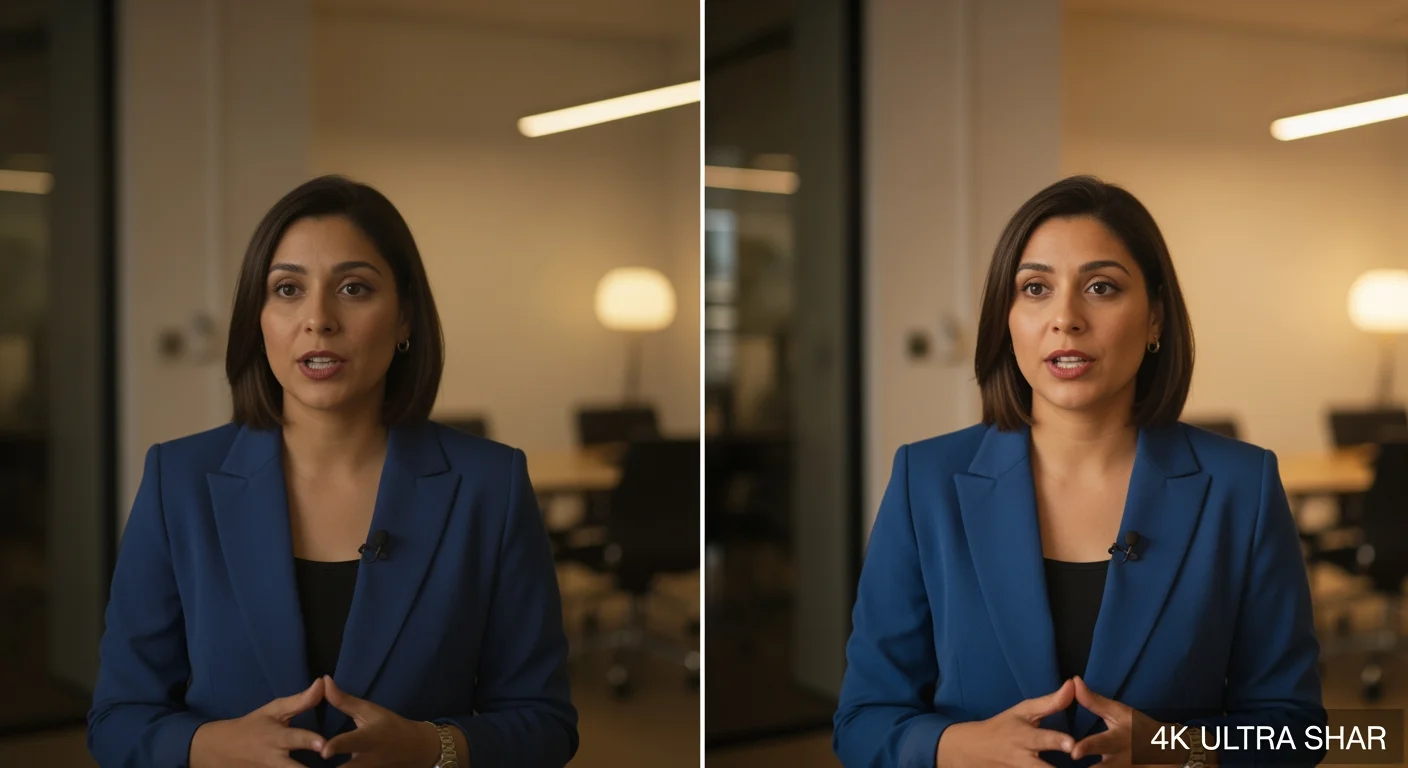
Quick Overview: Sora vs Veo at a Glance
Here is the high-level picture before we break down each area in detail.
OpenAI Sora uses a Diffusion Transformer (DiT) architecture that processes video as spacetime latent patches. It ships three tiers -- Sora 2, Sora Pro, and Sora Storyboard -- covering fast social clips, professional 1080p output, and image-guided narrative generation.
Google Veo is Google DeepMind's flagship video generation family. It offers two models -- Veo 3.1 and Veo 3.1 Fast -- with industry-first native audio, 4K upscaling, extended duration up to 148 seconds, and multi-image input via Ingredients to Video.
| Feature | OpenAI Sora | Google Veo |
|---|---|---|
| Developer | OpenAI | Google DeepMind |
| Number of Models | 3 | 2 |
| Max Resolution | 1080p | 4K (8s clips), 1080p (longer) |
| Native Audio | No | Yes (dialogue, SFX, ambient) |
| Max Duration (single) | 25s (Pro/Storyboard) | 8s (4K), longer at 1080p |
| Max Extended Duration | 120s (20s increments) | 148s |
| Text-to-Video | All models | All models |
| Image-to-Video | All models | All models |
| Text Rendering | 84% readability | 41% readability |
| LMArena Ranking | #4 (ELO 1367, Pro) | #1 (ELO 1381, audio 1080p) |
Model-by-Model Breakdown
"Sora" and "Veo" are not single products. Each contains specialized variants built for different workflows and budgets. Understanding the individual models matters more than comparing brand names.
OpenAI Sora Models
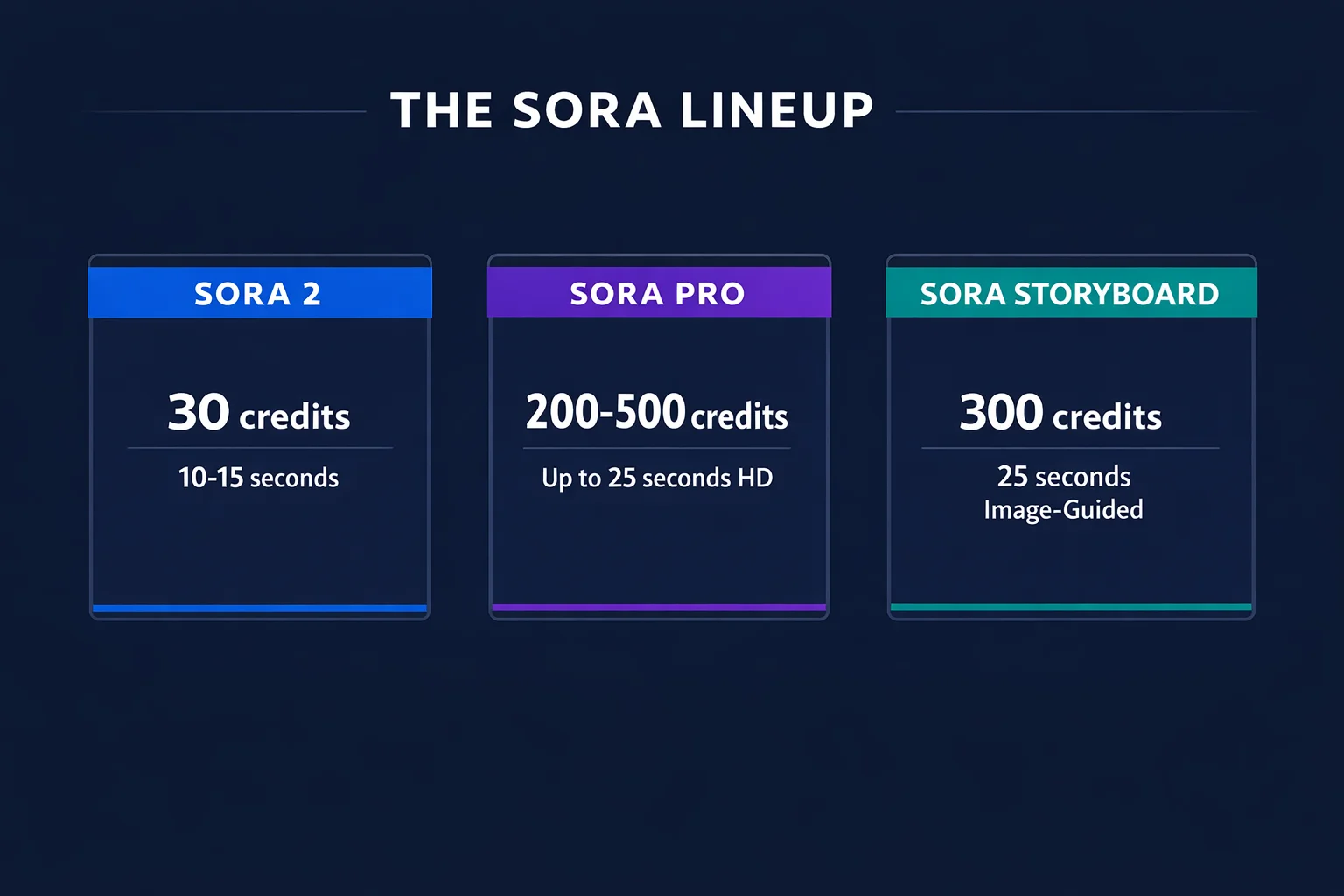
Sora 2 is the everyday workhorse. At 30 credits per generation, it produces 10 to 15-second clips from text or image input. The quality is strong for social media, web content, and rapid prototyping. Among every model in both families, Sora 2 offers the lowest cost per generation.
Sora Pro steps into professional territory. It outputs at 720p (200 credits) or 1080p (500 credits) and extends clip duration to 25 seconds. Physics simulation is noticeably more refined -- fluid dynamics, fabric, and lighting behave with broadcast-grade accuracy. This is your pick when the output needs to look polished on large screens or in client-facing campaigns.
Sora Storyboard is built specifically for image-guided narrative sequences. At 200 credits it generates 25-second videos driven by a reference image. Feed it concept art, product photography, or an illustration, and Storyboard animates it into a coherent story while preserving the original visual style.
Google Veo Models
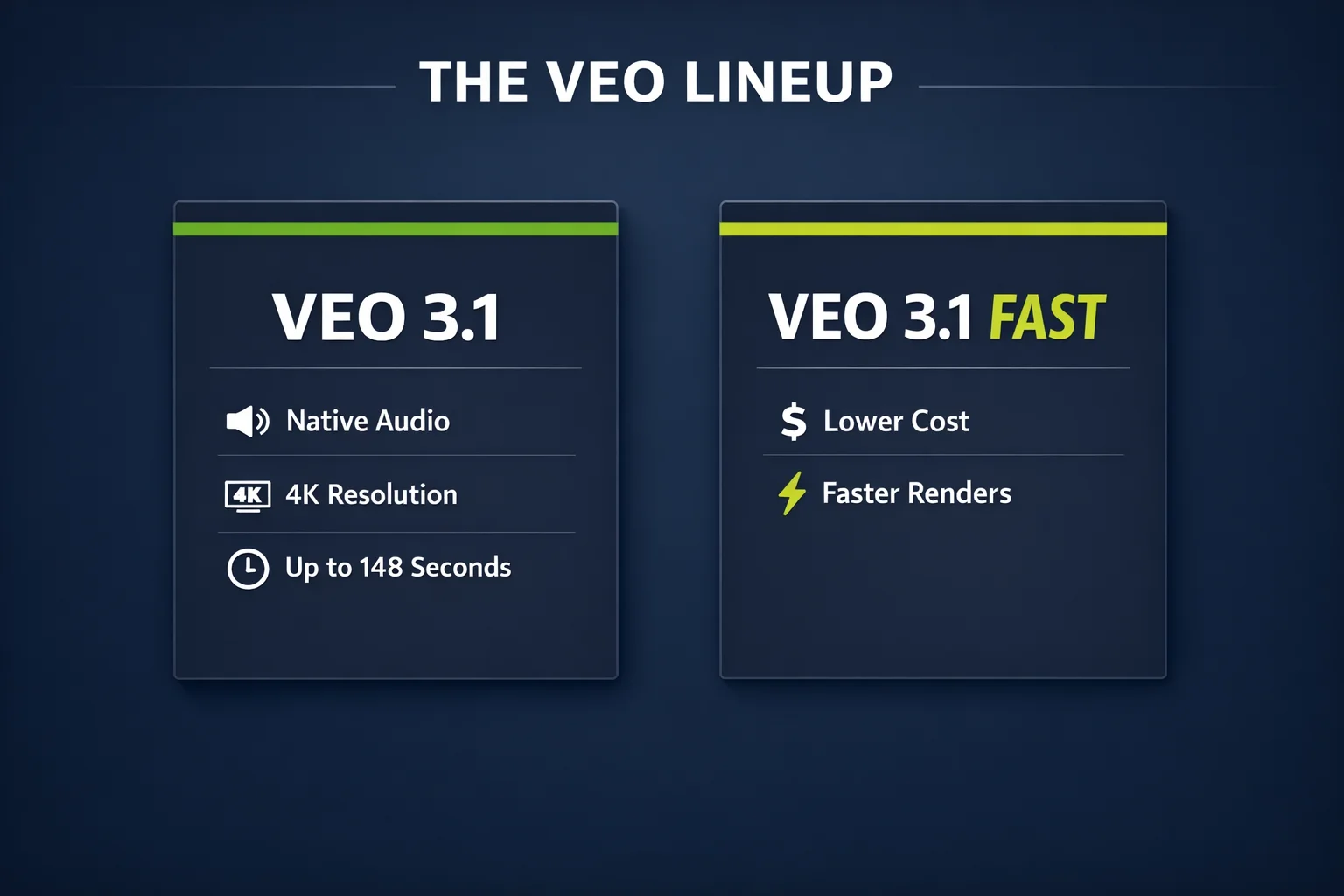
Veo 3.1 is Google's flagship video generator and the current number-one ranked model on LMArena (ELO 1381 in audio 1080p). It is the only AI video model that produces native audio -- dialogue with lip-sync, sound effects, and ambient sound at 48kHz stereo (AAC 192kbps) with roughly 10ms audio-visual latency. Resolution goes up to 4K for 8-second clips, with 1080p available for longer generations. Extended generation reaches 148 seconds. Unique features include Ingredients to Video (multi-image input for granular creative control), Frames to Video, and identity consistency across clips.
Veo 3.1 Fast is the speed-optimized variant. It trades some audio flexibility for faster generation and lower credit cost. Resolution sits at 720p to 1080p, and it supports the same extended duration as standard Veo 3.1. Choose Fast when turnaround time matters more than maximum audio fidelity.
Head-to-Head: Every Key Comparison
Audio Generation: Veo's Exclusive Advantage
This is the single biggest differentiator. Veo 3.1 generates synchronized audio alongside every video -- and not just ambient sound effects. It produces spoken dialogue with accurate lip-sync, environmental sound design, and layered audio at professional quality (48kHz stereo, AAC 192kbps encoding).
For creators making talking-head content, product demos with narration, or social media posts that rely on autoplay with sound, this eliminates an entire production step. You get a complete audiovisual asset from one generation.
All three Sora models produce silent video. Every Sora output requires separate audio work in post-production. If your content strategy depends on sound -- and most social platforms reward audio-on content with higher engagement -- this is a meaningful gap.
| Audio Capability | Sora (all models) | Veo 3.1 | Veo 3.1 Fast |
|---|---|---|---|
| Dialogue with lip-sync | No | Yes | Limited |
| Sound effects | No | Yes | Limited |
| Ambient/environmental audio | No | Yes | Limited |
| Audio format | N/A | 48kHz stereo, AAC 192kbps | 48kHz stereo |
| Audio-visual latency | N/A | ~10ms | ~10ms |
Resolution and Visual Quality
| Resolution Tier | Sora 2 | Sora Pro | Veo 3.1 | Veo 3.1 Fast |
|---|---|---|---|---|
| Max resolution | 1080p | 720p / 1080p | 4K (8s) / 1080p | 720p-1080p |
| 4K support | No | No | Yes (8s clips) | No |
| Upscaling | No | No | 4K upscaling | No |
For projects that require 4K output -- corporate presentations, high-end product videos, or archival content -- Veo 3.1 is the only option. Sora Pro's 1080p covers web and social well but cannot match 4K pixel density.
Resolution alone does not determine visual quality. Sora's DiT architecture produces distinctive cinematic aesthetics with strong temporal consistency -- stable objects, smooth lighting transitions, and a film-grade feel. Veo delivers excellent clarity at higher resolutions but carries a different visual signature.
Physics and Motion Accuracy
Physics simulation is where these models reveal their architectural differences.
| Physics Metric | Sora | Veo 3.1 |
|---|---|---|
| Object interaction accuracy | 76% | 92% |
| Liquid/fabric simulation | Moderate | Strong |
| Complex character physics | Strong | Moderate |
| Gymnastics/dance motion | Excellent | Good |
| Multi-subject stability | Strong | Good |
Veo 3.1 scores 92% in object interaction physics -- collisions, gravity, rigid-body dynamics. If your scene involves objects falling, bouncing, or interacting with surfaces, Veo handles it with high accuracy.
Sora excels at complex character physics. Gymnastics routines, dance sequences, fabric movement during athletic motion -- these are areas where Sora's training data and architecture produce more convincing results. Sora also maintains stronger multi-subject stability when several characters appear in the same frame.
The takeaway: neither model "wins" physics overall. Veo handles the physical world better. Sora handles characters moving through it better. Choose based on what your content actually shows.
Text Rendering
If your videos need readable on-screen text -- signage, titles, product labels, UI mockups -- this metric matters.
Sora achieves 84% text-rendering readability. That means roughly 8 out of 10 text elements in a generated video are legible and correctly spelled. For an AI video model, this is an exceptionally strong score.
Veo scores 41%. Text elements in Veo output are more likely to be garbled, partially rendered, or stylistically distorted. If your workflow involves text-heavy content, Sora is the significantly stronger choice.
Duration and Extended Generation
| Duration Metric | Sora 2 | Sora Pro | Sora Storyboard | Veo 3.1 | Veo 3.1 Fast |
|---|---|---|---|---|---|
| Native clip length | 10-15s | Up to 25s | 25s | Up to 8s (4K) | Up to 8s |
| Extended max | 120s | 120s | 120s | 148s | 148s |
| Extension method | 20s increments | 20s increments | 20s increments | Continuous | Continuous |
Veo 3.1 reaches 148 seconds on extended generation -- the longest from either family. Sora extends up to 120 seconds in 20-second increments. For single-generation clip length, Sora Pro and Storyboard produce up to 25 seconds, longer than Veo's native 8-second 4K clips.
Render Speed and Predictability
Speed matters when you are iterating on creative direction or producing content at volume.
| Speed Metric | Sora | Veo 3.1 |
|---|---|---|
| Avg render time (20s HD) | 128 seconds | 185 seconds |
| Speed advantage | 31% faster | -- |
| Generation variance | +/-23s (18%) | +/-47s (25%) |
Sora renders 31% faster than Veo for equivalent HD output. Sora's generation times are also more predictable -- 18% variance versus Veo's 25%. Veo 3.1 Fast mitigates this gap, but standard Veo 3.1 at full quality is noticeably slower.
First-Generation Usability and Benchmarks
| Performance Metric | Sora | Veo 3.1 |
|---|---|---|
| First-gen usability rate | 71% | 68% |
| LMArena ELO | 1367 (#4, Pro) | 1381 (#1, audio 1080p) |
| Avg render time (20s HD) | 128s | 185s |
Sora produces usable output 71% of the time on the first attempt versus Veo's 68%. The gap is small but compounds at volume -- 100 weekly generations means roughly 3 fewer re-rolls with Sora. On LMArena community rankings, Veo 3.1 holds the top position (ELO 1381), while Sora Pro ranks fourth (ELO 1367). Both sit in the top tier; you are choosing between two elite generators.
Pricing Comparison
| Model | Credits | Native Duration | Audio Included | Max Resolution |
|---|---|---|---|---|
| Sora 2 | 30 | 10-15s | No | 1080p |
| Sora Pro (720p) | 200 | Up to 25s | No | 720p |
| Sora Pro (1080p) | 500 | Up to 25s | No | 1080p |
| Sora Storyboard | 200 | 25s | No | 1080p |
| Veo 3.1 | Varies | Up to 8s (4K) | Yes | 4K |
| Veo 3.1 Fast | Lower | Up to 8s | Limited | 1080p |
Sora 2 at 30 credits is the most affordable generation on either platform. For high-volume social content and rapid prototyping, that pricing is hard to beat.
Veo 3.1's cost reflects its premium capabilities: native audio, 4K output, and extended duration. The real comparison is not credits per generation but total production cost per finished asset. A Veo 3.1 video with audio may cost more in credits but saves 15 to 30 minutes of audio editing. A Sora video with superior text rendering may eliminate a design revision cycle.
Which Should You Choose? Decision Matrix
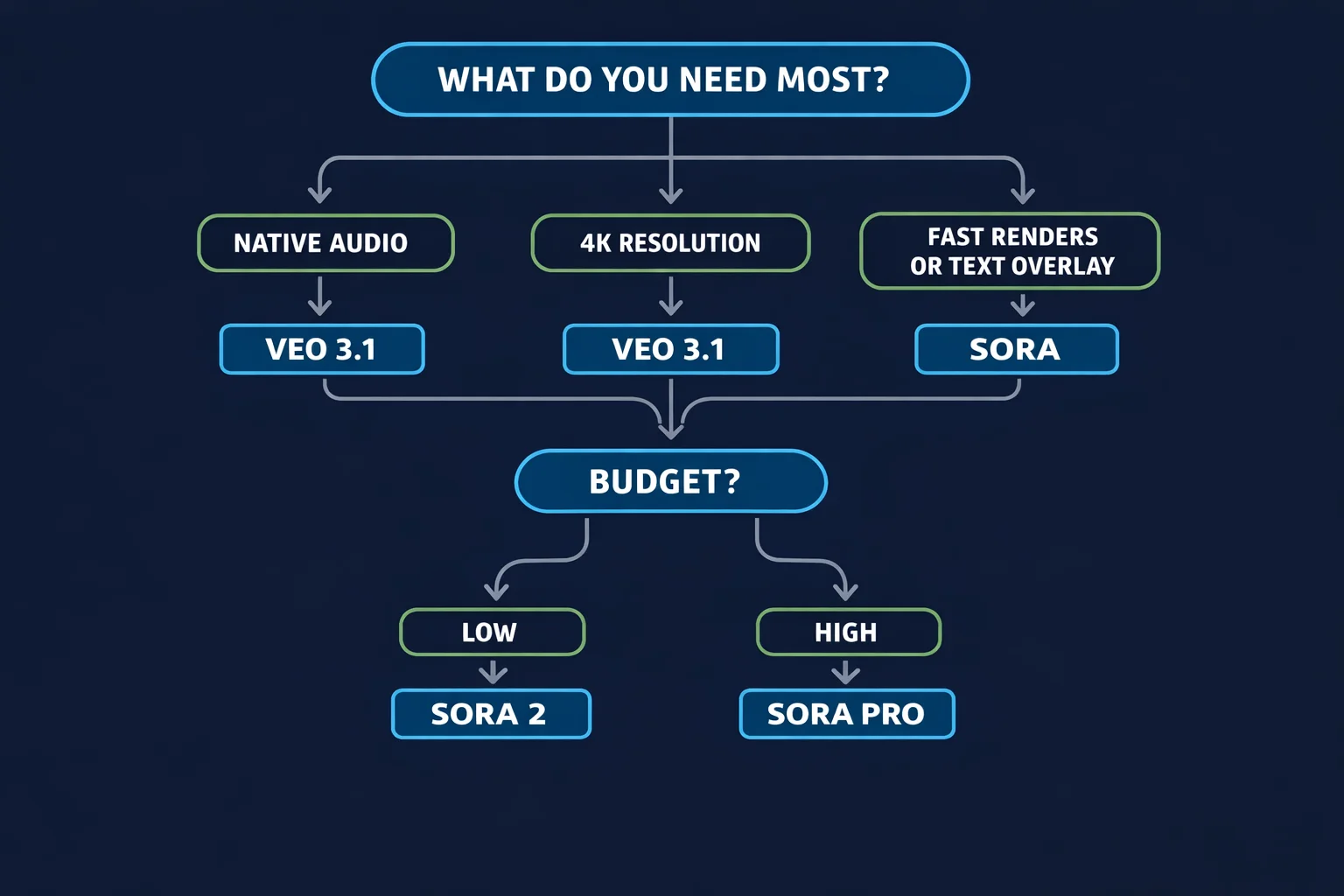
Choose Sora 2 if:
- You produce high-volume social content and need the lowest cost per generation
- Silent video is acceptable (you add music or voiceover in post)
- 10 to 15-second clips at 1080p meet your quality bar
- Budget efficiency is the top priority
Choose Sora Pro if:
- You need broadcast-quality 1080p output for professional deliverables
- Clips longer than 15 seconds are required in a single generation
- Text rendering accuracy matters (signage, titles, UI elements)
- The content will appear in ads, presentations, or on large displays
Choose Sora Storyboard if:
- You have reference images to animate into 25-second narrative sequences
- Your workflow involves concept art, product photography, or illustration
- You want image-guided generation with strong style preservation
Choose Veo 3.1 if:
- Native audio is a hard requirement (dialogue, sound effects, ambient)
- You need 4K resolution for short hero clips
- Extended duration up to 148 seconds serves your content format
- Multi-image input via Ingredients to Video fits your creative process
- Identity consistency across multiple generations matters
Choose Veo 3.1 Fast if:
- You want Veo's extended duration and feature set at lower cost
- Generation speed matters more than maximum audio fidelity
- 720p to 1080p resolution is sufficient
Quick Decision Table
| Your priority | Best model | Why |
|---|---|---|
| Lowest cost | Sora 2 | 30 credits, solid quality |
| Audio with video | Veo 3.1 | Only model with native audio |
| 4K resolution | Veo 3.1 | Up to 4K for 8s clips |
| Text on screen | Sora Pro | 84% text readability |
| Longest single clip | Sora Pro | 25s native generation |
| Longest total duration | Veo 3.1 | 148s extended |
| Fastest render | Sora 2 | 31% faster than Veo |
| Image-to-narrative | Sora Storyboard | 25s story from one image |
| Multi-image control | Veo 3.1 | Ingredients to Video |
| Character physics | Sora Pro | Gymnastics, dance, fabric |
| Object physics | Veo 3.1 | 92% interaction accuracy |
Real-World Use Cases
Talking-Head Content and Podcasts
A creator producing talking-head videos needs audio synchronized to lip movement. Veo 3.1 is the only viable choice -- it generates the speaker, the lip-sync, and the audio in one pass. With Sora, you generate silent video and manually sync a voiceover, adding time and risking misalignment.
High-Volume Social Media Production
A social media manager publishing five posts per day needs affordable, predictable generation. Sora 2 at 30 credits per clip is the workhorse. Five daily clips cost just 150 credits, leaving budget for occasional Sora Pro or Veo 3.1 generations when a post deserves extra polish.
Product Launch Campaign
A marketing team building a launch video needs 4K hero shots and text-heavy feature callouts. The optimal approach: combine both models. Use Veo 3.1 for 4K product beauty shots with ambient audio, then Sora Pro for frames showing product names and pricing at 84% text readability.
Long-Form and Concept Art
For content exceeding two minutes, Veo 3.1's 148-second extended generation with native audio reduces clips to stitch. For animating reference images, Sora Storyboard produces 25-second narratives from a single image, while Veo 3.1's Ingredients to Video offers multi-image compositional control.
Using Both on LumeReel
LumeReel gives you access to both Sora and Veo in the same workspace with shared credits. This opens up workflows impossible on separate platforms:
- A/B test prompts across both engines to find the best interpretation for each concept
- Mix models in one project -- Veo 3.1 for audio-rich intros, Sora Pro for text-heavy segments
- Prototype cheaply, finish at quality -- draft with Sora 2 at 30 credits, re-generate winners with Veo 3.1 at full fidelity
- Layer audio strategically -- Veo 3.1 for scenes that need sound, Sora for scenes that do not
No subscriptions to juggle, no platform-switching, no re-uploading assets. Your credits work across every model.
The Bottom Line
OpenAI Sora and Google Veo are both top-tier AI video generators, but they are built around different strengths.
Choose Sora when you need faster renders, superior text rendering, convincing character physics, a 30-credit budget option, or 25-second single-generation clips. Sora is the more predictable, cost-effective engine for high-volume production and text-heavy content.
Choose Veo when you need native audio with dialogue and lip-sync, 4K resolution, extended clips up to 148 seconds, multi-image compositional control, or the current LMArena top-ranked quality. Veo is the more feature-complete engine for premium audiovisual content.
The smartest strategy is to use both. Generate a test clip on Sora 2 and Veo 3.1 from the same prompt, compare the results, and invest your credits in whichever engine handled that particular concept better. That flexibility -- having both families under one roof on LumeReel -- is the real competitive advantage.
Ready to see the difference yourself? Use the prompt at the top of this page to generate your first video, then switch to a Veo model and compare. Your LumeReel credits work with both -- try them now at lumereel.com.
FAQ
Answers to common questions about this experience.