Kling O3 Video Generator
Create high quality AI videos with Kling O3. Advanced text and image to video with enhanced motion fidelity. Professional output. Free to try.
Try Kling O3 Video Generator
Create videos with Kling O3 Video Generator. Enter your prompt.
Model
Image upload
Prompt
Aspect ratio
Duration
Resolution
What's included:
- 3–6 generation attempts
- Pro quality included
- Failed generations don't count
Prompt: A cinematic shot of a lighthouse beam sweeping across the ocean at night.
What is Kling O3 Video Generator

Kling O3 is Kuaishou's premium video generation model within the Kling family, designed for creators and professionals who need higher visual quality and motion fidelity than standard-tier models provide. The "O" series represents Kuaishou's optimized models with enhanced rendering pipelines that produce more refined output.
Kling O3 supports both text-to-video and image-to-video generation at 720p and 1080p resolution. At 140 credits per generation, it sits between the cost-efficient Kling 3.0 (120 credits) and represents the premium text+image option in the Kling lineup. The model delivers improved temporal consistency, sharper detail rendering, and more accurate prompt interpretation compared to standard Kling models.
The Kling O-series models share a focus on output optimization. Where Kling 3.0 prioritizes accessibility and speed, Kling O3 invests additional computation into visual quality, making it the choice when the generated video needs to look polished without post-production cleanup.
Core Features of Kling O3
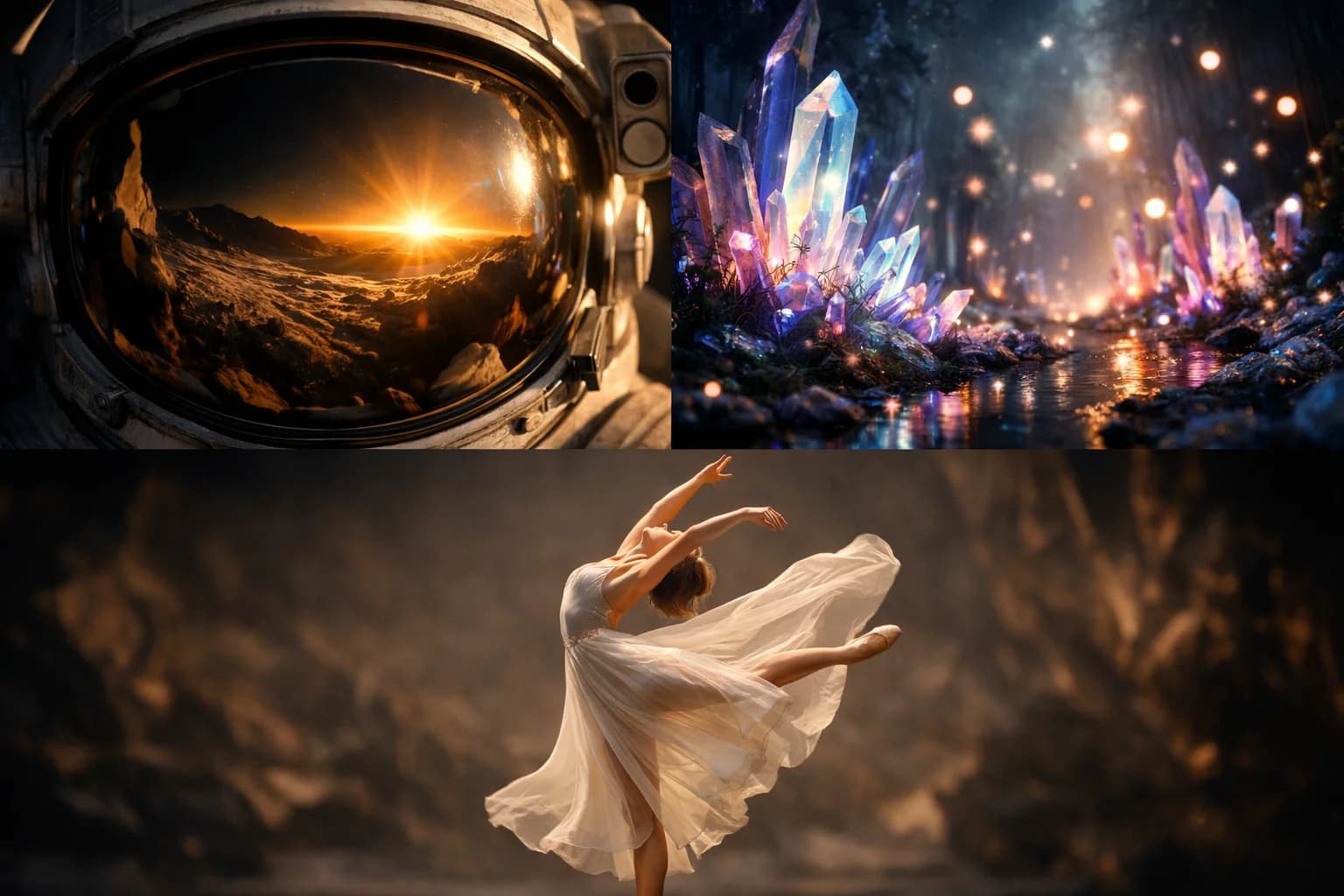
Enhanced Visual Quality for AI Video
Kling O3's primary advantage is output quality. The model renders finer details in textures, faces, and environmental elements. Hair strands, fabric weave, skin texture, and material surfaces appear with greater clarity than standard-tier models. This detail level reduces the visual gap between AI-generated and traditionally produced video.
The quality improvement is most noticeable in close-up shots and scenes with detailed subjects. Portraits show more natural skin rendering. Product shots reveal surface detail. Architectural and interior scenes maintain straight lines and consistent geometry.
Text-to-Video with Kling O3
Generate video from text descriptions with Kling O3's improved prompt understanding. The model interprets spatial relationships, lighting descriptions, and action sequences with higher accuracy. Describe scenes with specific details about composition, movement, and atmosphere to leverage the model's enhanced interpretation capabilities.
Kling O3 handles both creative and literal prompts effectively. Descriptive, cinematic prompts produce atmospheric video content. Specific, technical descriptions generate precise visual representations. The model adapts to different prompt styles while maintaining its quality advantage.
Image-to-Video Generation
Animate static images with Kling O3's refined motion engine. Upload photographs, product images, or artwork and describe the desired animation. The model preserves source image details while adding smooth, natural motion. The enhanced rendering pipeline maintains visual sharpness throughout the animation.
Image-to-video with Kling O3 benefits from the quality improvements in both the initial frame reconstruction and the subsequent motion generation. The source image's detail is preserved more faithfully, and added motion maintains temporal stability without introducing blur or distortion.
Multi-Format Aspect Ratio Support
Generate content in 16:9, 9:16, and 1:1 aspect ratios. Each format is natively supported rather than cropped from a default, meaning the model composes scenes specifically for the chosen ratio. Vertical content places subjects centrally for mobile viewing. Widescreen content uses the horizontal space for environmental storytelling.
Platform-matched generation eliminates post-production reformatting. Create content ready for its destination platform from the first generation. This efficiency matters in production workflows where multiple platform versions of the same content are needed.
Dual Resolution with Quality Focus
Both 720p and 1080p options are available, but Kling O3's quality advantage is most apparent at 1080p. The enhanced rendering pipeline fills the additional pixels with meaningful detail rather than upscaled approximation. For professional applications, 1080p with Kling O3 delivers noticeably sharper results than 1080p from standard models.
The 720p option remains valuable for prototyping and concept testing where generation speed and credit efficiency outweigh the need for maximum quality.
How to Use Kling O3

Prompt Writing for Kling O3
Write detailed prompts that take advantage of Kling O3's improved interpretation. Include specific details about:
- Subject: Describe appearance, clothing, expression, or product details
- Action: Specify movement type, speed, and direction
- Environment: Set the scene with location, time of day, weather
- Lighting: Mention light direction, quality (soft, harsh, golden hour)
- Camera: Describe angle, movement, and focal length
Example: "a ceramic vase of sunflowers on a rustic wooden table, afternoon sunlight casting long shadows through a nearby window, camera slowly dollies in, shallow depth of field, warm color grading."
Choosing Between Kling Models
The Kling family offers three models at different quality and price points:
- Kling 3.0 (120 credits): General-purpose text and image to video. Best for volume production and budget-conscious workflows.
- Kling O3 (140 credits): Premium quality text and image to video. Best for professional content where visual refinement matters.
- Kling O1 (100 credits): Image-to-video only. Best for dedicated image animation at the lowest cost.
Use Kling 3.0 for development and testing. Switch to Kling O3 for final renders. Use Kling O1 when your workflow is exclusively image-based.
Resolution and Duration Selection
For professional applications, generate at 1080p to capture Kling O3's full detail advantage. The quality difference between 720p and 1080p is more pronounced with O3 than with standard models because the enhanced pipeline produces genuinely higher detail rather than marginal improvements.
Choose 5-second clips for social media content and quick previews. Use 10-second duration for complete scenes, product demonstrations, and marketing content that needs time to develop the visual narrative.
Use Cases for Kling O3
Professional Marketing Video with AI
Produce polished marketing videos where visual quality directly impacts brand perception. Kling O3's enhanced detail rendering creates content that meets professional standards for digital advertising, website hero sections, and presentation materials. The refined output reduces the need for post-production quality enhancement.
Marketing teams use Kling O3 for client-facing deliverables where AI-generated content needs to look indistinguishable from professionally produced video at thumbnail and web scale.
AI Video for Product Showcases
Generate detailed product visualization videos with Kling O3's superior texture and surface rendering. The model reproduces material qualities — metal reflectivity, fabric texture, glass transparency — with higher fidelity than standard models. Product videos benefit directly from this enhanced material rendering.
Upload product photographs for image-to-video animation that preserves surface detail while adding dynamic presentation. The 10-second duration accommodates complete product reveals with camera movement and environmental context.
Kling O3 for Content Creation
Create high-quality video content for platforms where production value matters. YouTube channel intros, podcast visualizers, newsletter animations, and website background videos all benefit from Kling O3's quality tier without requiring studio production resources.
Content creators working with limited production budgets use Kling O3 to generate supplementary video that matches the quality of their manually produced content. The consistent quality level maintains channel and brand standards across both AI-generated and traditional content.
Social Media Content with Premium Quality
Produce social media video that stands out in competitive feeds. The enhanced visual quality creates content that viewers perceive as more professional, improving engagement metrics. The quality advantage is visible even in mobile-compressed feeds.
Generate at 9:16 aspect ratio for vertical platforms. The model composes scenes for vertical viewing, placing subjects and action within the tall frame. Pair with 5-second duration for scroll-stopping hooks or 10 seconds for complete micro-content.
Kling O3 Technical Specifications
| Specification | Detail |
|---|---|
| Input Modes | Text-to-Video, Image-to-Video |
| Resolutions | 720p, 1080p |
| Durations | 5, 10 seconds |
| Base Credits | 140 |
| Aspect Ratios | 16:9, 9:16, 1:1 |
| Provider | Kuaishou |
| Output Format | MP4 |
Kling Model Family Comparison
| Feature | Kling 3.0 | Kling O3 | Kling O1 |
|---|---|---|---|
| Text-to-Video | Yes | Yes | No |
| Image-to-Video | Yes | Yes | Yes |
| Base Credits | 120 | 140 | 100 |
| Visual Quality | Good | Enhanced | Good |
| Motion Fidelity | Standard | Enhanced | Standard |
| Best For | General use | Premium quality | Image animation |
Tips for Better Kling O3 Results
Maximizing Quality Advantage
To fully leverage Kling O3's quality improvements, write prompts with specific visual details. The model renders described textures, materials, and lighting conditions with higher accuracy. Generic prompts produce results similar to standard models. Detailed prompts unlock the quality gap.
Focus on details that matter for your content: specific material descriptions for product videos, atmospheric lighting for mood pieces, and facial expression details for character content. The model rewards precision with visually richer output.
Image-to-Video Optimization
When using image-to-video, provide source images at the highest available resolution. Kling O3's enhanced pipeline preserves fine detail from the source, but it cannot recover detail that isn't present in the input. Images above 1024px on the long edge produce noticeably better animated output.
Describe motion that complements the source image's composition. If the image has strong directional lines or a clear focal point, describe motion that works with these elements rather than against them. The model's improved interpretation means it respects compositional intent more faithfully.
Getting Started with Kling O3
Create an account to access Kling O3 through our platform. Start by generating a test video at 1080p to see the quality level firsthand. Compare the same prompt between Kling O3 and Kling 3.0 to understand the quality difference and decide when each model serves your needs.
Test both text-to-video and image-to-video modes. If your workflow primarily involves animating images, also compare with Kling O1 to find the right quality-cost balance.
Our platform stores generation history across all Kling models, making it easy to compare results and optimize your model selection for different project types.
FAQ
Answers to common questions about this experience.